Committee preparation
Your steering committee pack is ready before the meeting
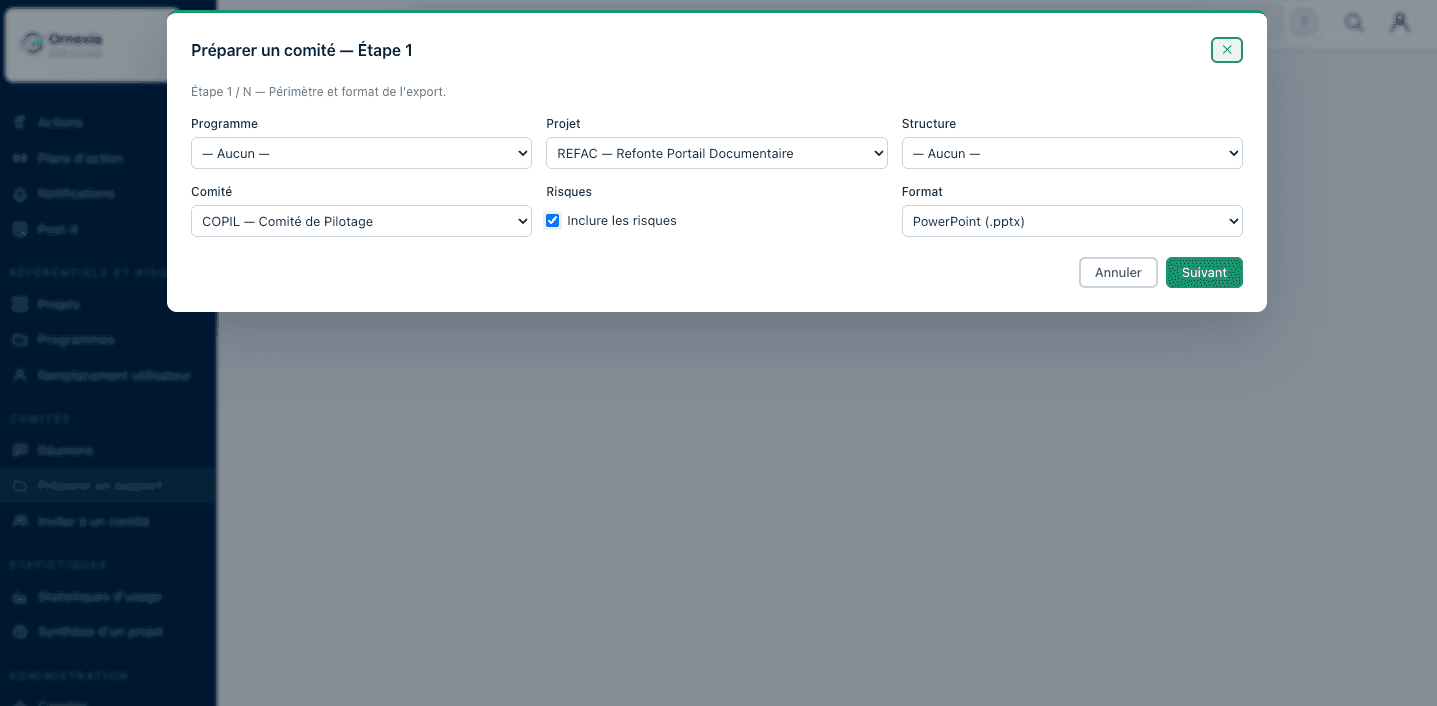
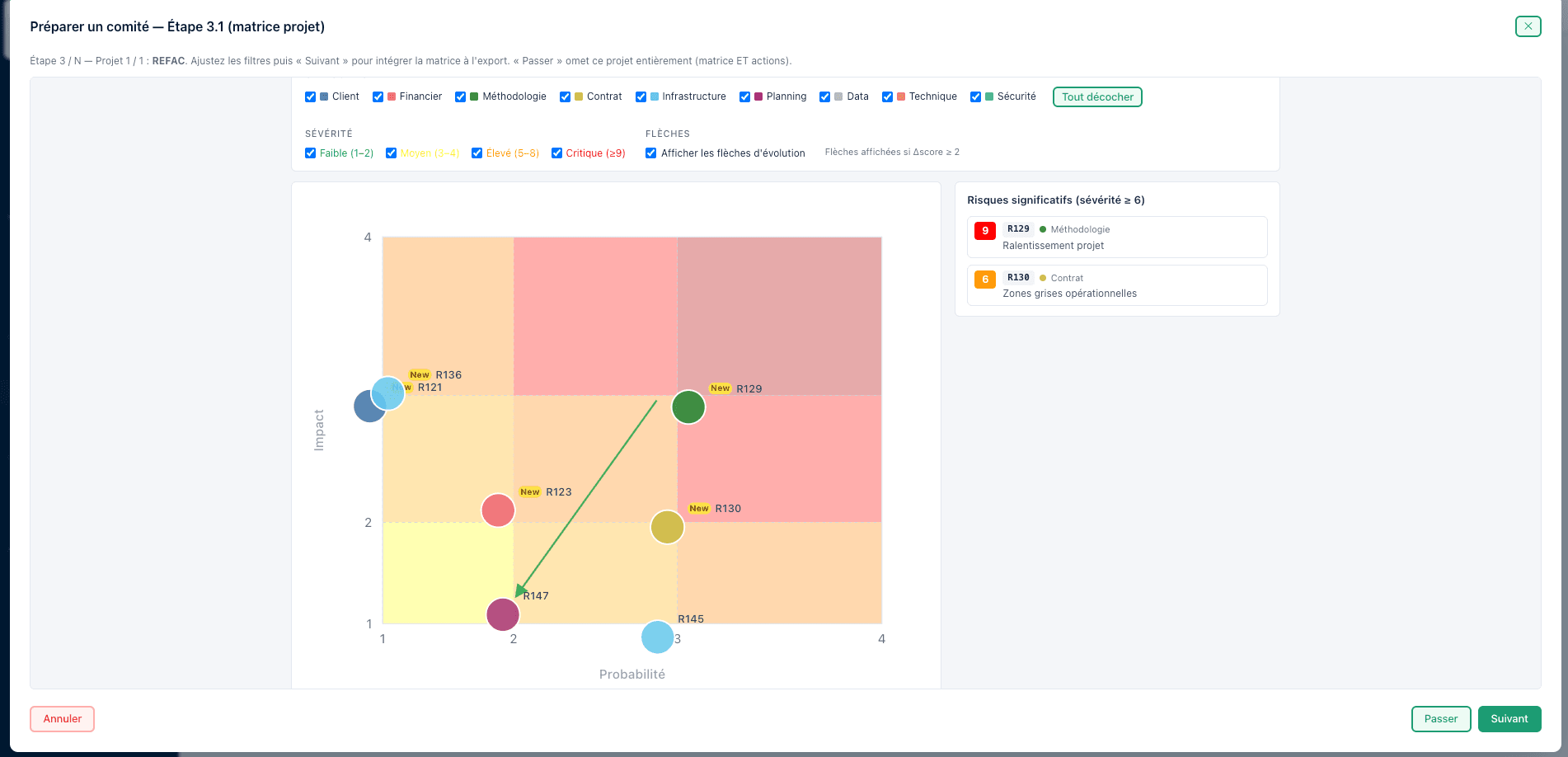
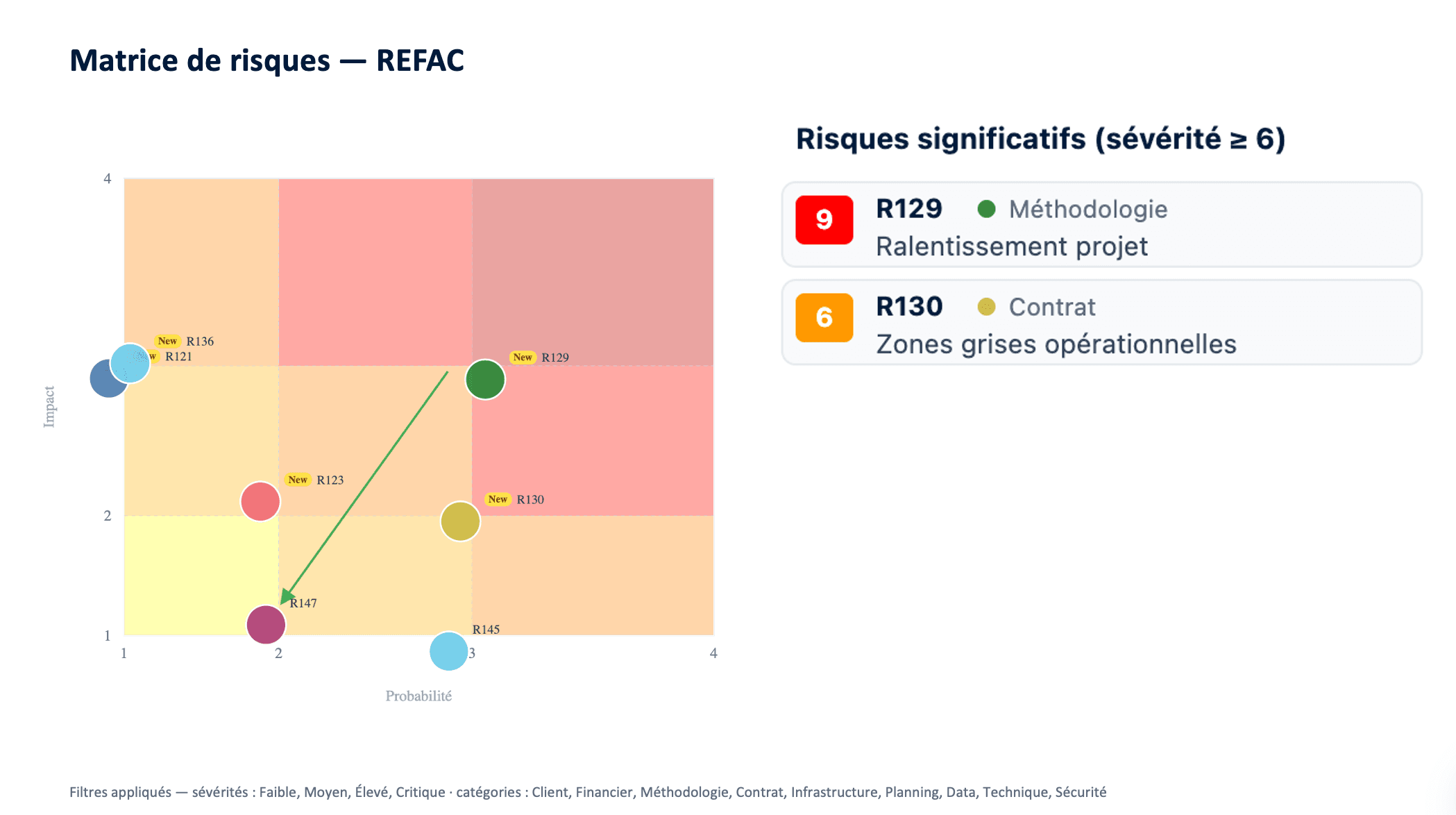
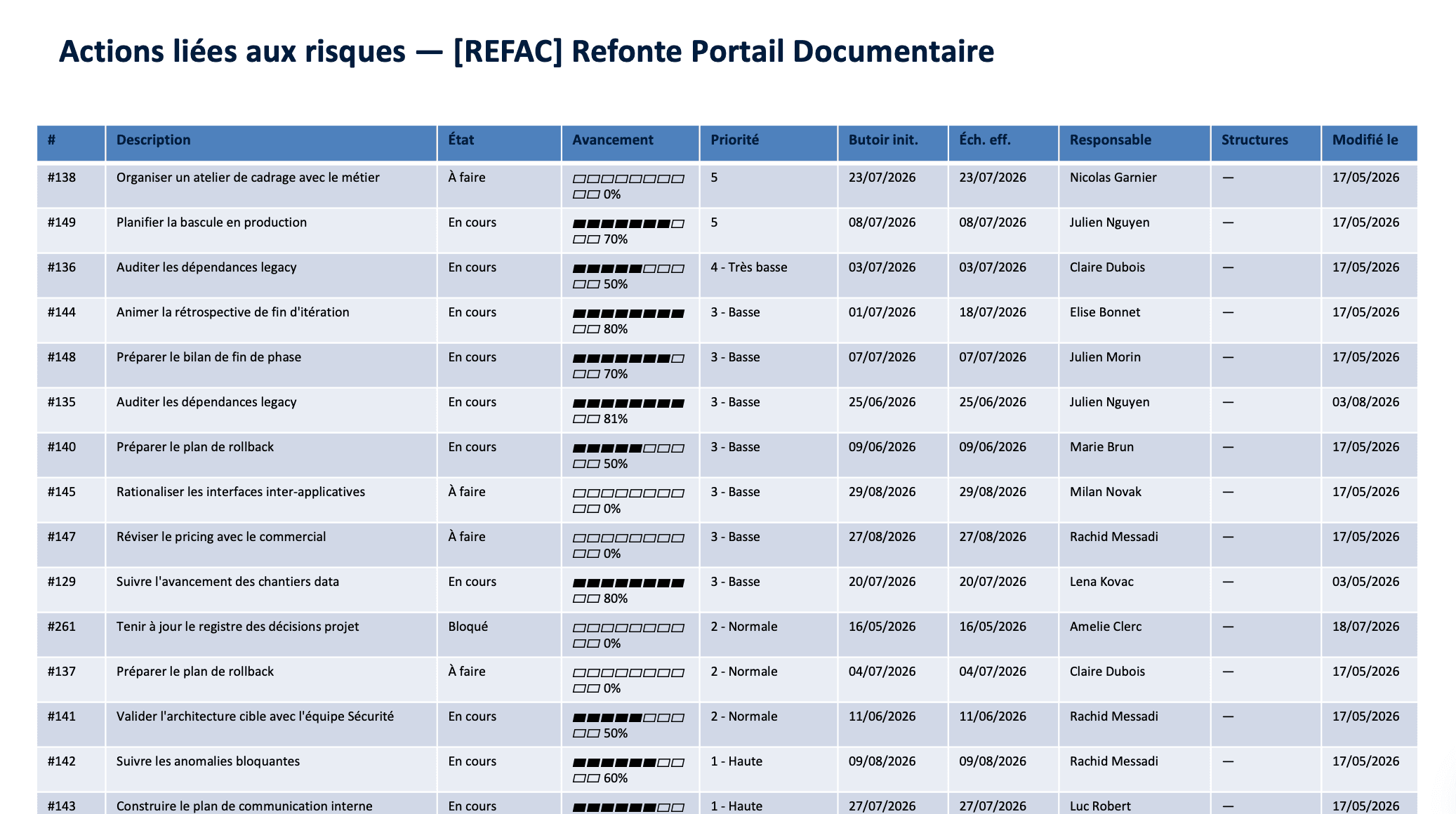
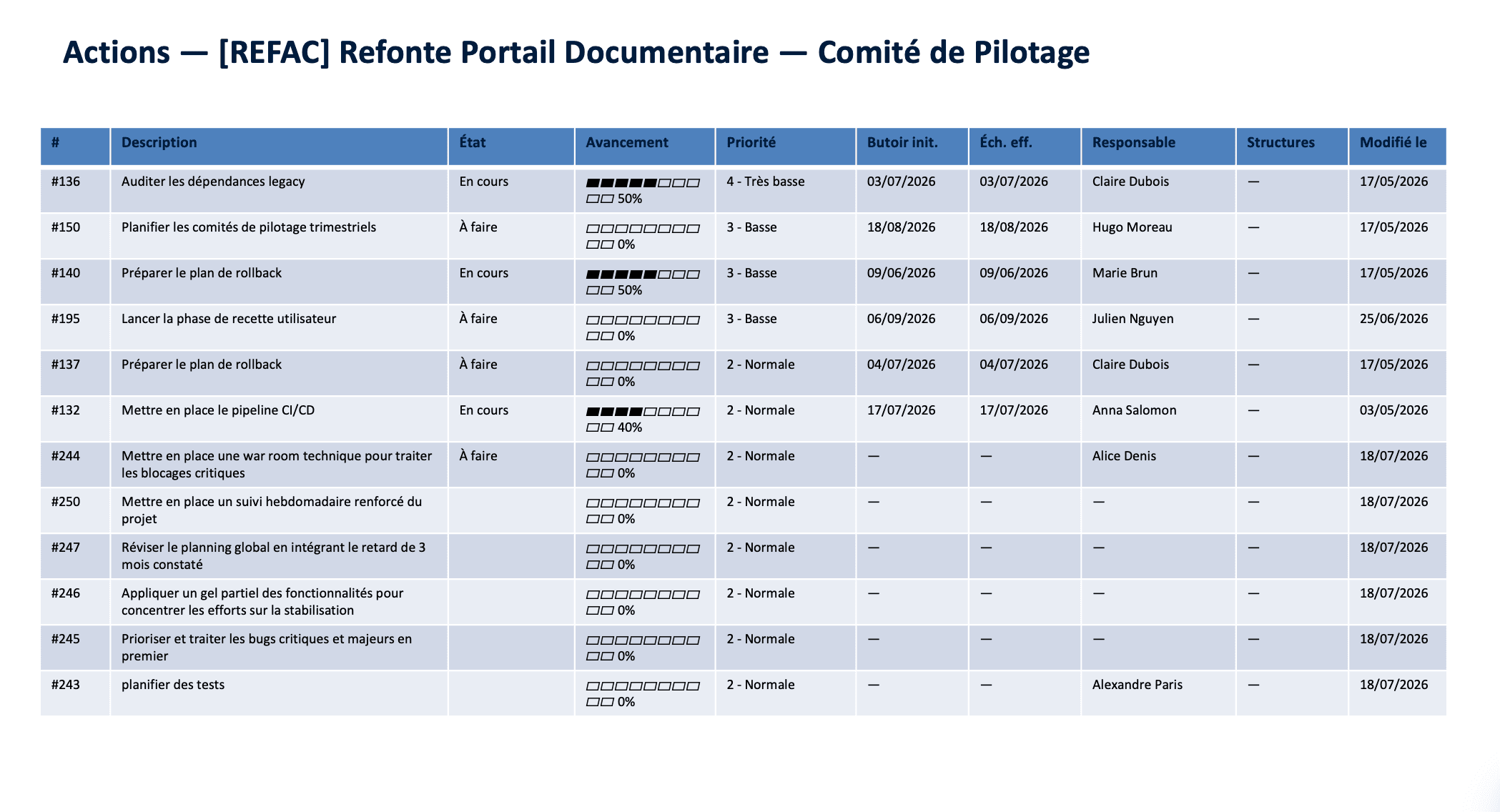
You pick the programme, the project and the committee. Ornexia assembles the up-to-date document: risk matrix, significant risks, open actions.
Included in Pilotage and IntelligenceOrnexia in 3 sentences
- Ornexia is the steering hub for your committees and your action plans.
- The AI drafts your minutes, extracts the actions, and advises you at the right moment.
- Every decision becomes a tracked action, with an owner and a due date, through to closure.
Update your pack minutes before the meeting
You can update your committee pack a few minutes before the meeting, with none of the copy-paste slips you make at the last minute under pressure today. You gain reliability, you gain time, and you spend that time on what the pack actually says rather than on formatting it.
How it works
What you get out of it
PowerPoint to present, Word to circulate the file, Excel to rework the figures. Same content, three uses.
The pack respects the rights of whoever generates it: confidential actions they cannot see stay out of the document.
What it changes for you
Project manager, PMO
You prepare the committee in minutes, on yesterday's data rather than last month's.
Sponsor, executive
You receive the same document from one committee to the next. Comparing one meeting with the following one becomes immediate.
The pack draws on the action plan your team already keeps up to date. After the meeting, minutes analysis closes the loop by creating the actions decided, which join the action plan.
See a pack generated for your next committee
Thirty minutes, with your programme and your committees.
Book a demo